Getting Started with sGTM Hosting
Step 1. Create a server container in Google Tag Manager
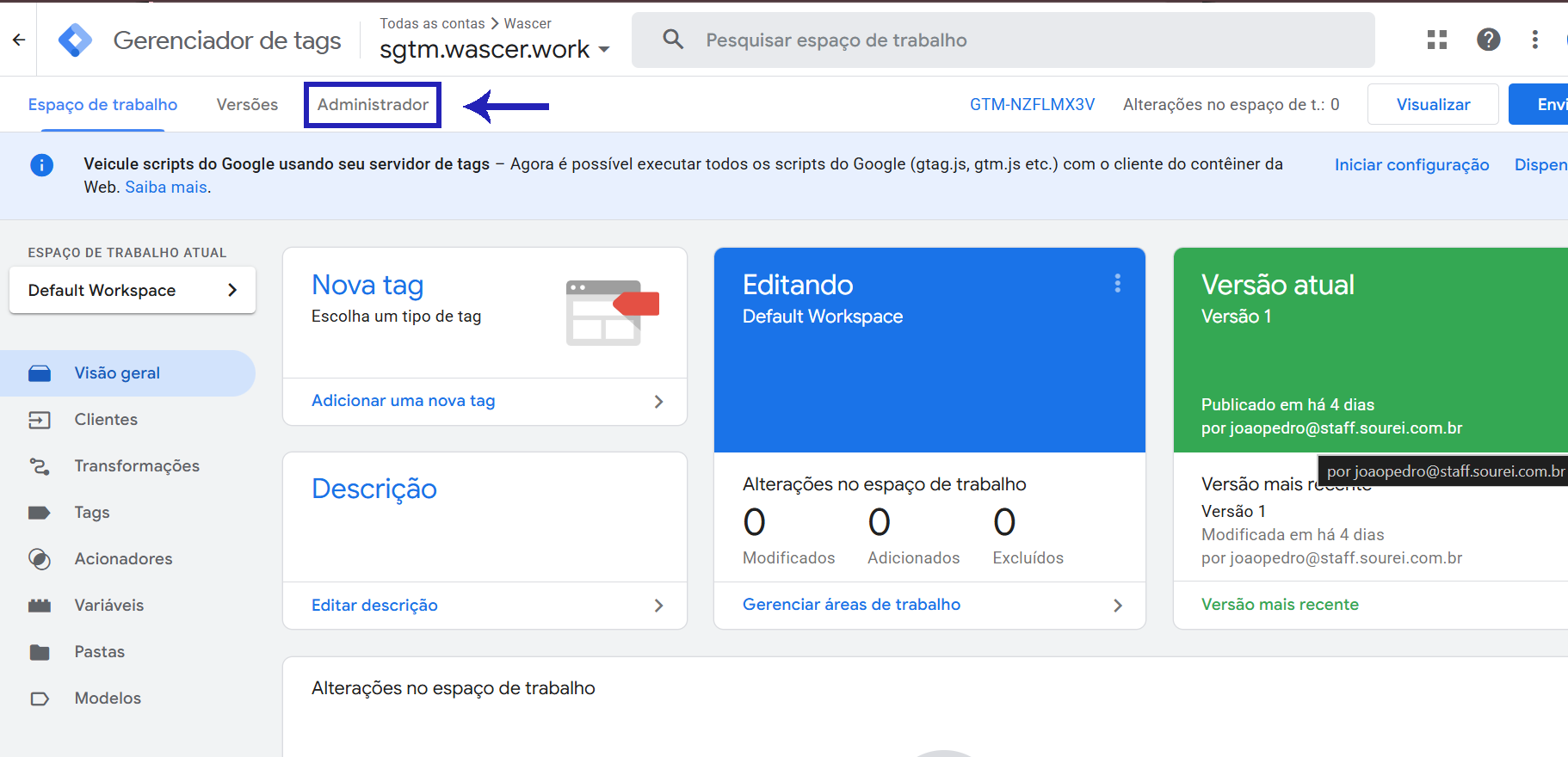
1.Open tagmanager.google.com and click Admin.
The server container workspace in Tag Manager (sgtm.wascer.work):
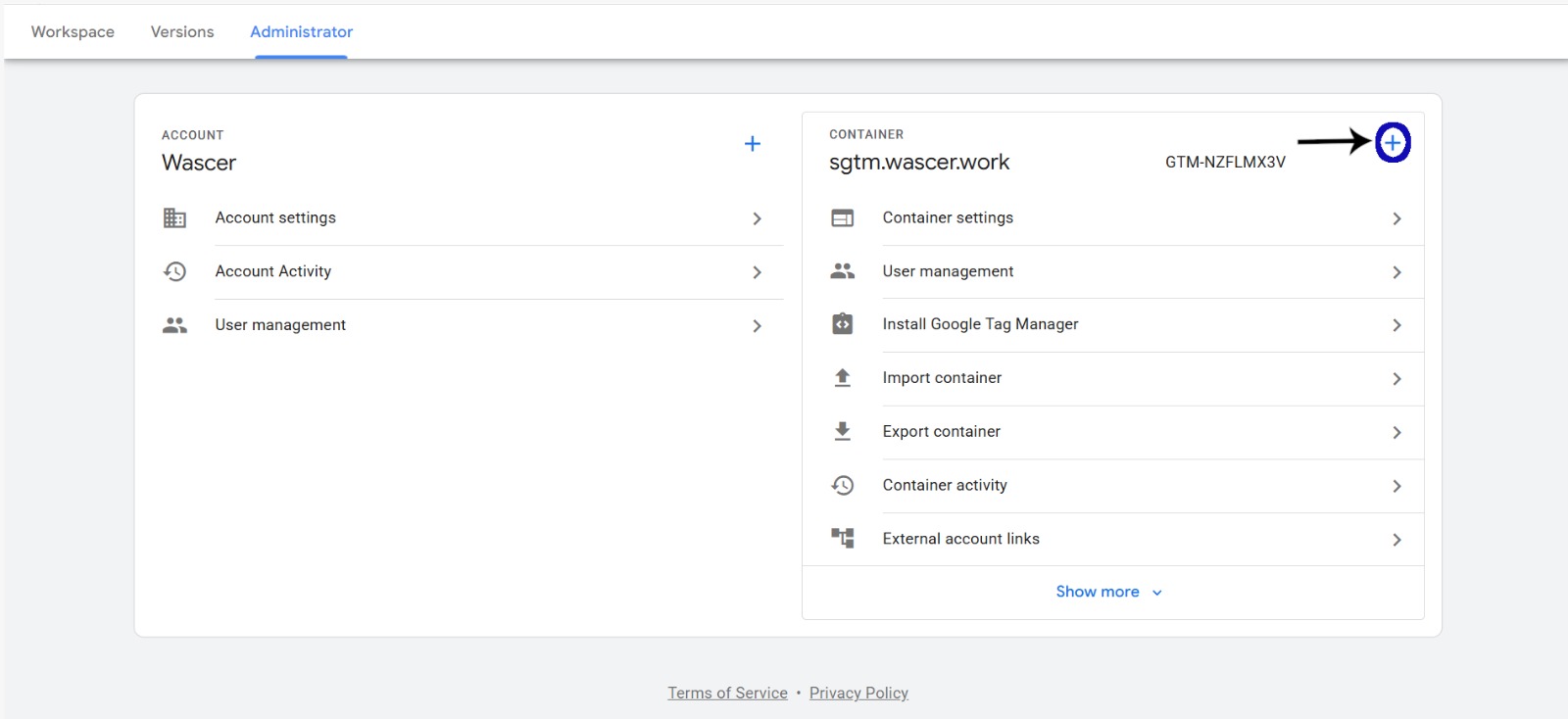
2.In the containers column, click the + button to add a new container.
In the Admin screen, click Container settings:
3.Give the container a name and, under Target platform, select Server.
In the form, select “Server” as the target platform:
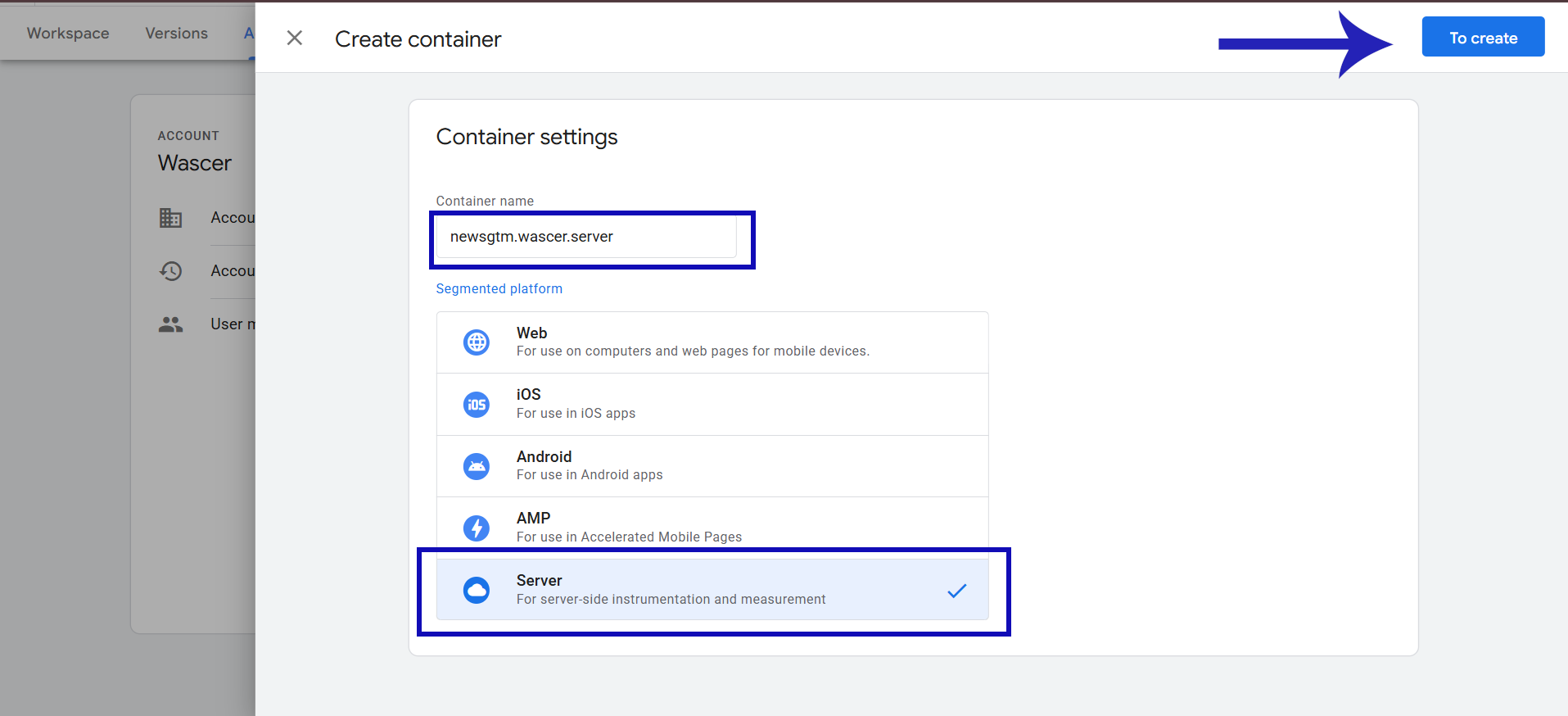
Select “Server” as the Target Platform as shown in the image:
4.Click Create.
In Container settings, click “Set up tagging server”:
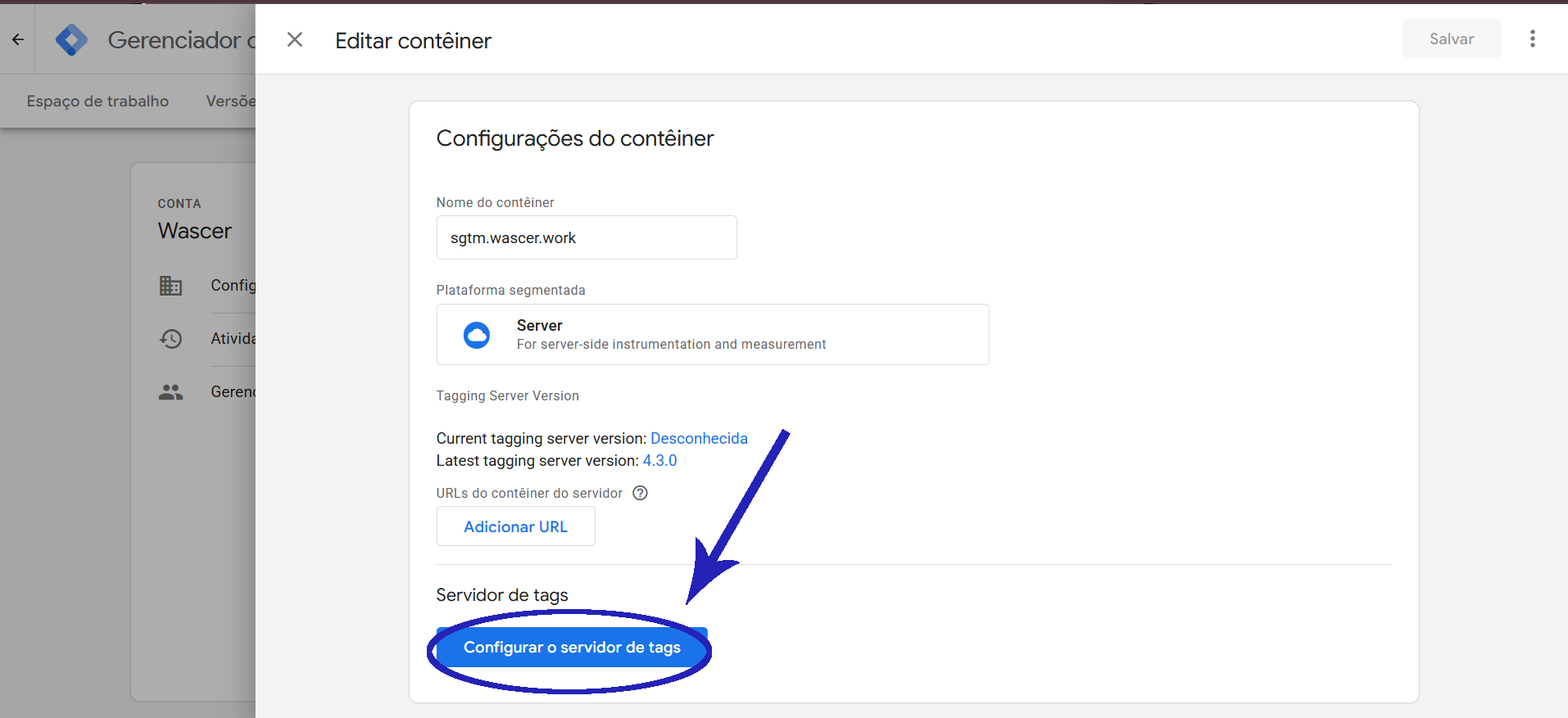
After creating the container, the server container workspace is displayed.
5.In the “Install Google Tag Manager” window, select Manually provision tagging server.
Select “Manually provision tagging server” and copy the container configuration:
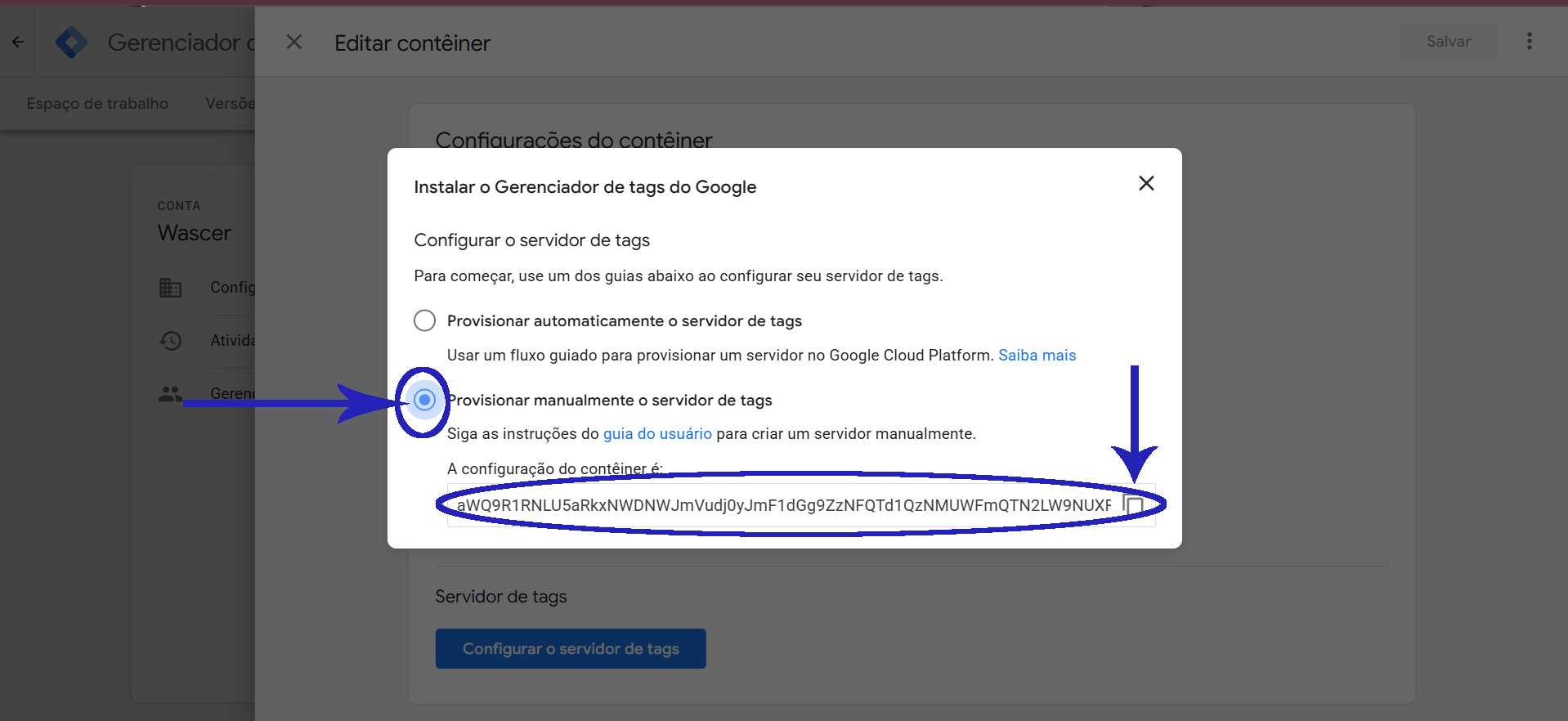
6. Copy the Container Config. You will use this value in the next step.
Was this helpful?
Thanks for your feedback!