Getting Started with sGTM Hosting
Step 6. Everything is set up. Next steps
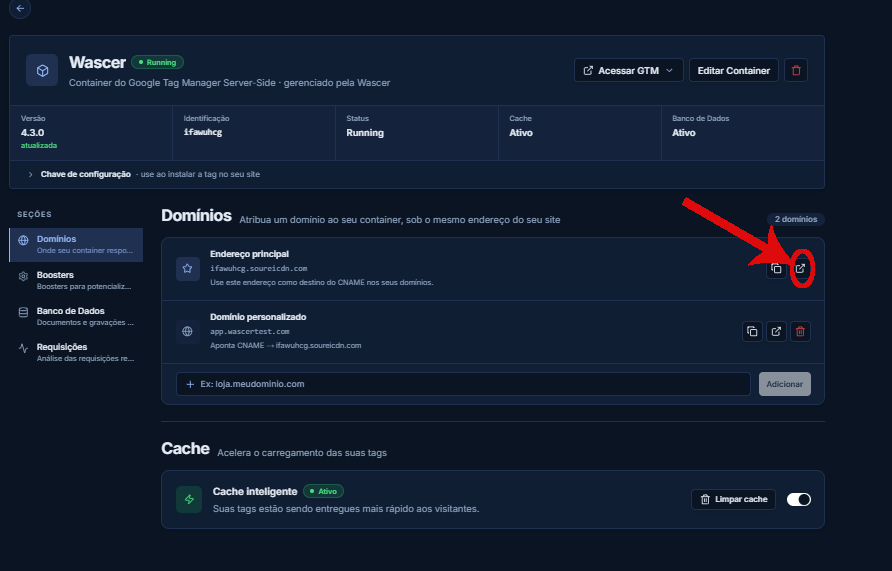
Verify that the server is online by accessing /healthz:
1. Open your container and click the “Open address” button.

After the basic setup, you can expand your server-side tracking with the following features:
- Platform tracking:Configure server-side tags for Google Analytics 4, Meta Conversions API (CAPI), TikTok Events API, Snapchat Conversions API, and Google Ads.
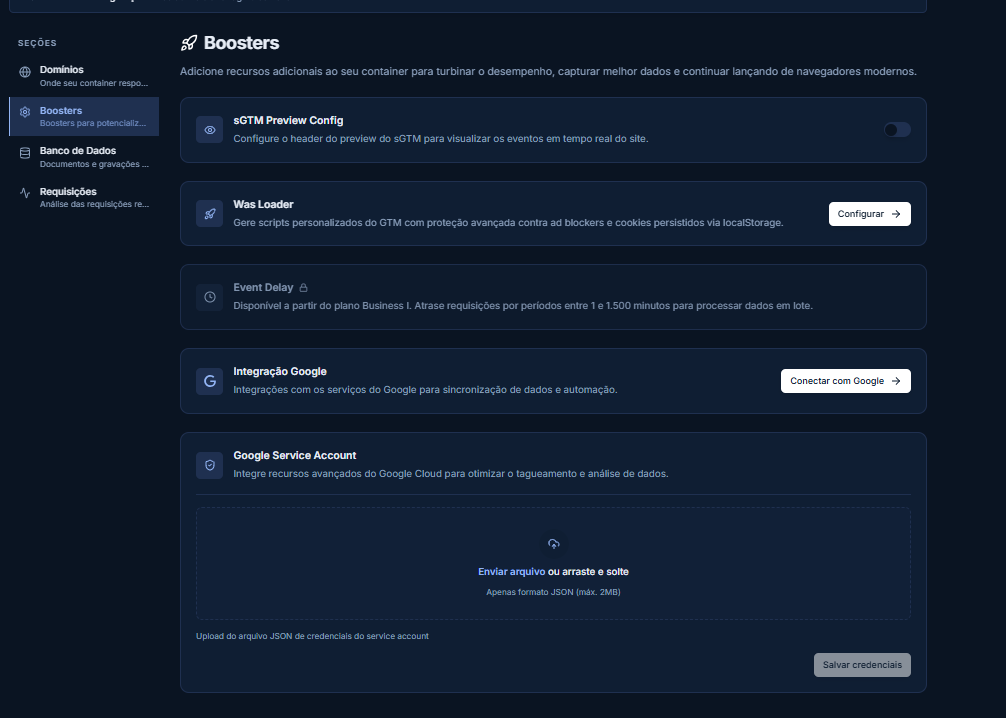
- Wascer Boosters:Enable WasLoader, Cookie Shield, Same-Origin, Global CDN, and other tools to maximize data collection.
The Boosters tab brings together sGTM Preview, Was Loader, Event Delay, and Google Service Account:
- Gateways: For a simpler setup without a complex sGTM container, use the dedicated Gateways for Meta, TikTok, and Snapchat.
- Monitoring: Configure alerts to detect anomalies (event drops, errors, failure spikes).
- Store: Use the built-in NoSQL database to store and retrieve data in sGTM.
- Logs: Monitor incoming and outgoing requests for debugging and auditing.
- Analytics: Monitor the effectiveness of server-side tracking: events recovered from ad blockers and privacy protections.
Was this helpful?
Thanks for your feedback!