Boosters
sGTM Preview Config
sGTM Preview Config
idioma: en | data: 2026-09-15 | status: English counterpart of cms.wascer.com/docs/sgtm-preview-config/, focused on what’s new (filters + guaranteed 60-minute expiration)
sGTM Preview Config
Debug your Server-Side container in production using only your own traffic, no mirroring your entire site, no risk of forgetting the preview switched on.
Overview
Google Tag Manager Server-Side’s Preview mode lets you inspect, in real time, every request that reaches your container: not just the ones coming from a browser, but also webhooks, backend API calls, and mobile SDK events. Wascer’s sGTM Preview Config injects the header that turns on this mirroring, with two safeguards the previous version didn’t have: a traffic filter (so it doesn’t mirror your entire production traffic) and a guaranteed expiration.
Benefits
- View requests from any source (web, app, webhook, API) in the sGTM debugger.
- Real-time debugging, no deploy required.
- Filter by path and/or by IP: only the traffic you choose enters the preview, the rest of your site is never mirrored.
- Turns off by itself after 60 minutes, always, even when enabled by Wascer support. Before this version, a preview was once left on for about five months without anyone noticing.
How It Works
- You generate a preview token from within your Server-Side container’s own Debug/Preview mode in Google Tag Manager.
- You paste that token into the Wascer dashboard. From then on, every request that matches your configured filter (or every request, if no filter is set) gets the X-Gtm-Server-Preview header before reaching your container, and starts showing up in the GTM debugger in real time, while the production event keeps being processed normally.
- With no filter set, all traffic is mirrored to the preview: this is the default behavior, meant for quick debugging only.
Filters, how they combine. Path and IP work independently: filling in both doesn’t narrow things down further, it opens one more door into the preview. For example, with a path filter of /my-webhook and an IP filter of 203.0.113.10 set at the same time:
| Request | Matches path? | Matches IP? | Enters preview? |
| POST /my-webhook, from any IP | yes | not applicable | yes |
| Any route, from 203.0.113.10 | not applicable | yes | yes |
| Any other combination | no | no | no |
- Path filter: must start with / and cannot be just /. The path needs to exist as a Client inside your sGTM container, otherwise the request arrives and returns a 404.
- IP filter: a single IPv4 or IPv6 address. Ranges (CIDR) are not accepted.
How to Enable
- Go to the Wascer dashboard → Containers → select your container → Boosters tab.
- Find the sGTM Preview Config card.
- Turn on the Enable Preview Header switch.
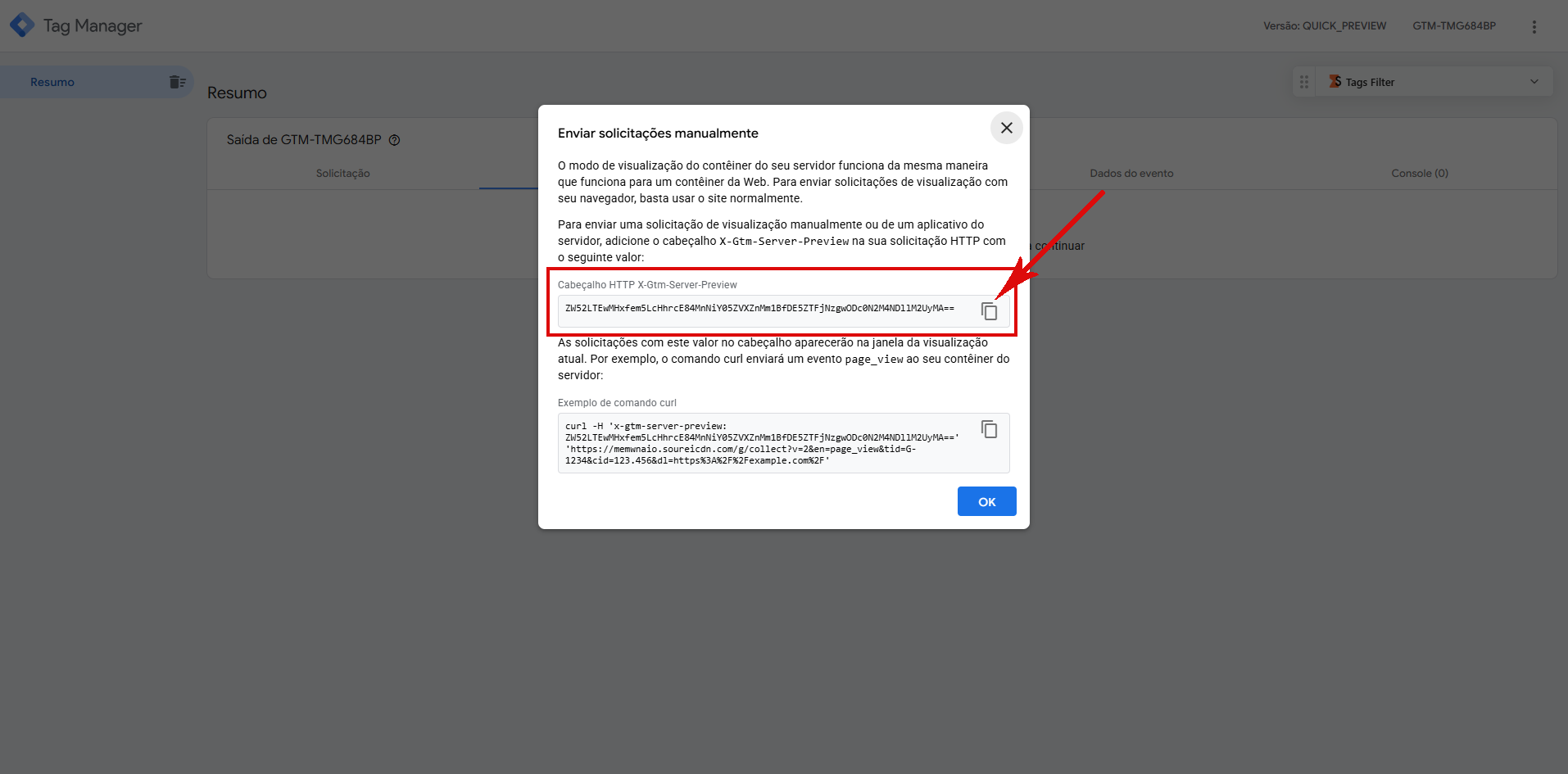
- In Google Tag Manager, open your Server-Side container’s Preview mode and copy the X-Gtm-Server-Preview header value it shows you.
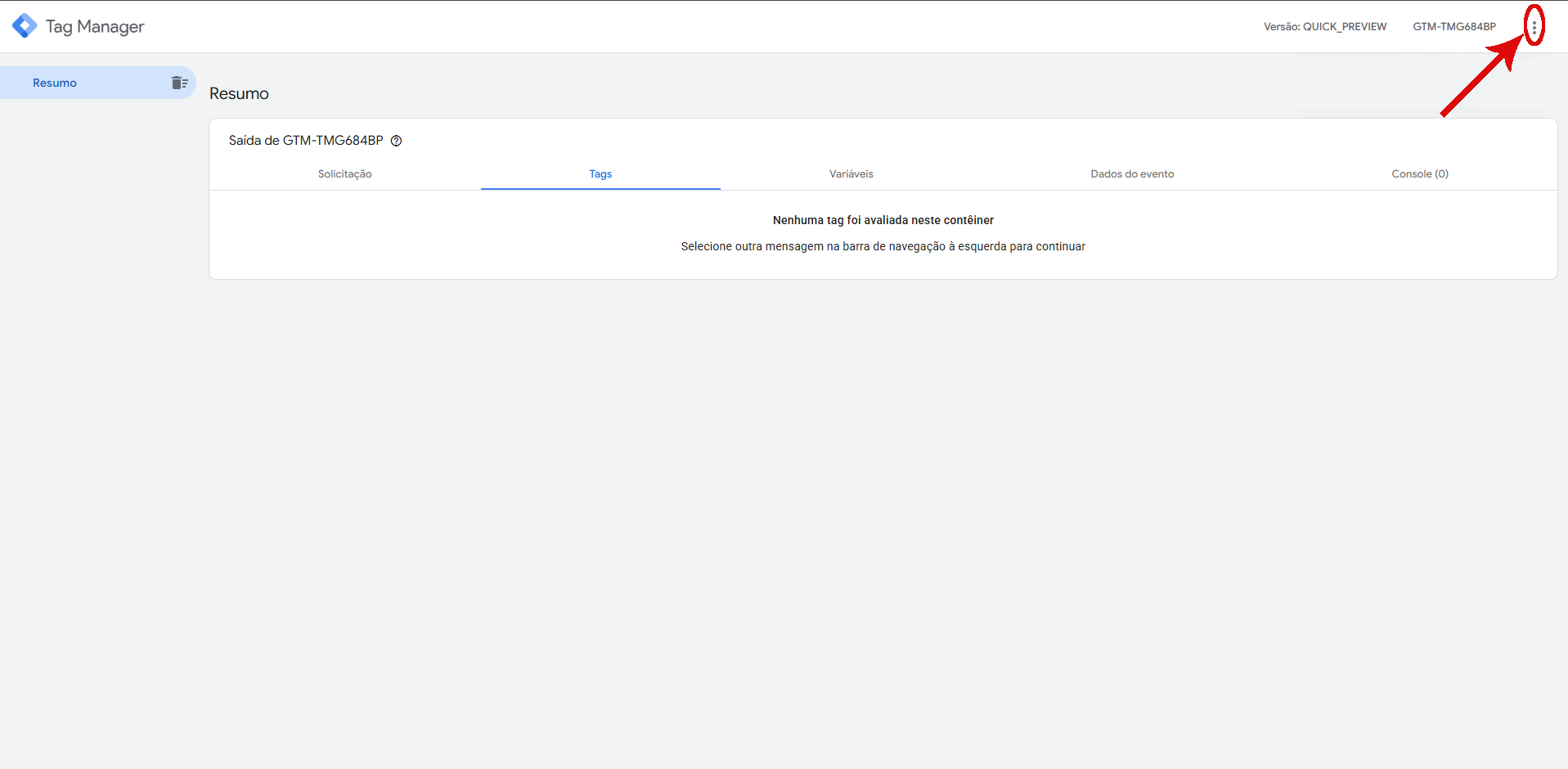
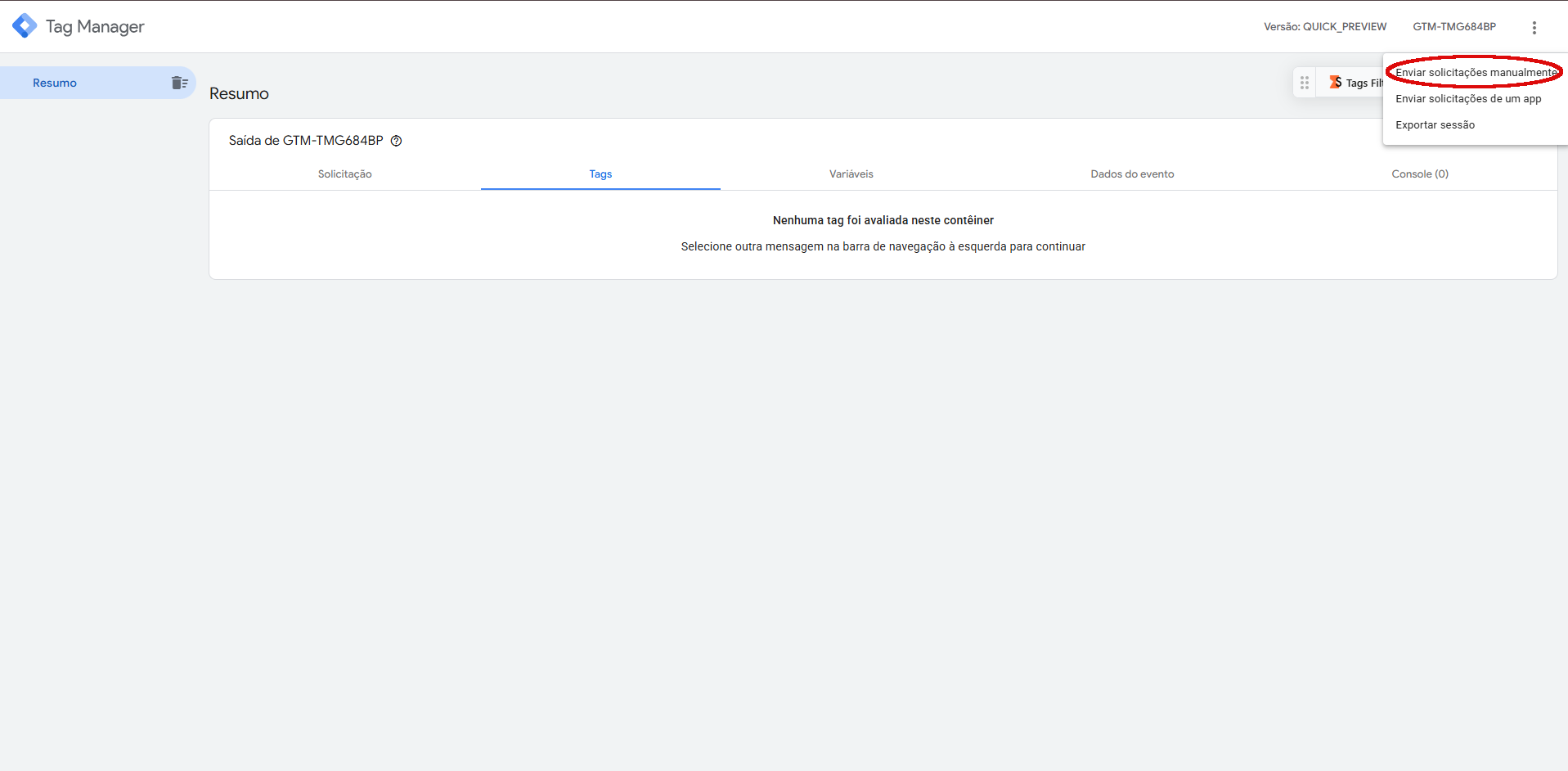
In GTM Preview, click the three dots and choose “Send requests manually”:
Copy the X-Gtm-Server-Preview header value shown in the modal:
- Paste that value into the X-Gtm-Server-Preview HTTP Header field on the Wascer dashboard.
- (Optional) Fill in Filter by path and/or Filter by IP to restrict mirroring to just your test traffic.
- Save. The on-screen notice reminds you: the preview turns off by itself after 60 minutes. To keep going after that, repeat the process.

“sGTM Preview Config” card in the Boosters tab, disabled. Click the highlighted switch to enable it. The 60-minute notice already shows even while disabled.
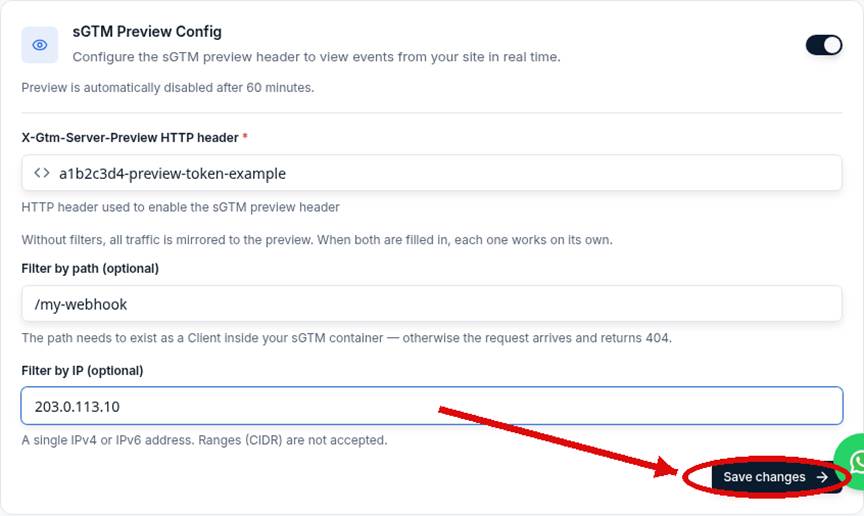
Card expanded: token field filled in, path and IP filter fields, and the “Save changes” button highlighted.
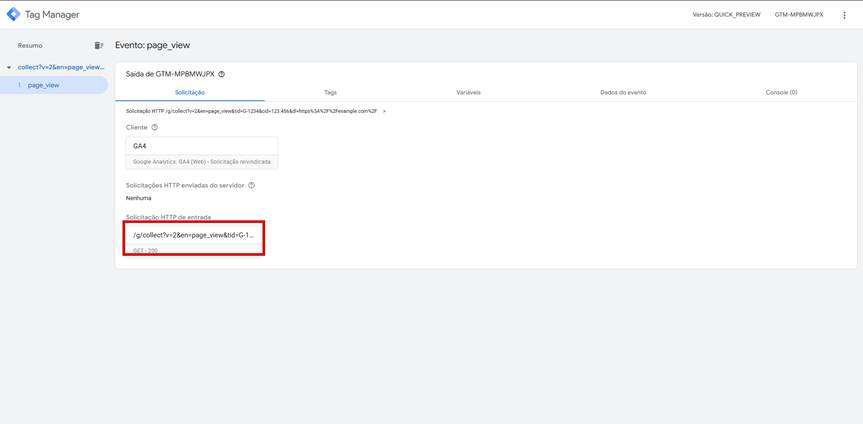
Server-Side GTM debugger (Preview mode) showing a real captured request: Client “GA4 (Web) – Request claimed”, incoming request `GET /g/collect?…` with a 200 status, highlighted.
[SCREENSHOT PENDING: Preview Mode menu in server-side GTM showing where to copy the X-Gtm-Server-Preview header]
Proof: the preview actually mirroring traffic
On that same captured request, the X-Gtm-Server-Preview header arrives with the token configured in the Wascer dashboard, proof the mirroring works end to end:
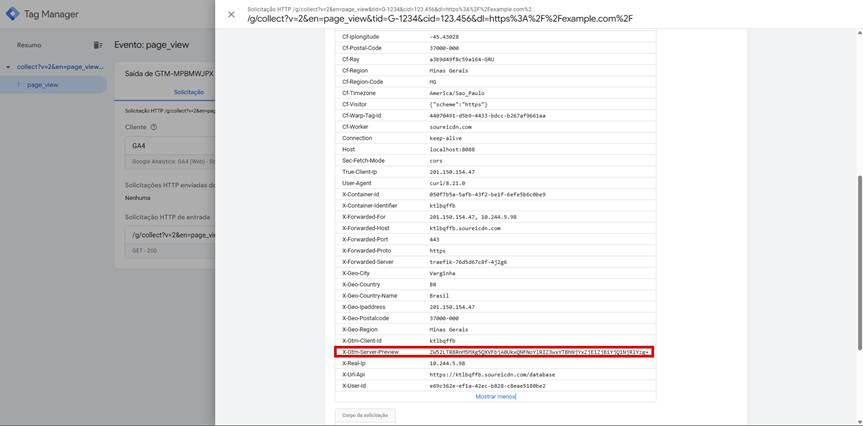
`X-Gtm-Server-Preview` with the real token, highlighted among the request’s other headers.
Use Cases
- Validate that an e-commerce webhook payload arrives with all expected fields before turning on tags that depend on it (e.g. Conversions API).
- Debug purchase events (in_app_purchase) coming from a mobile SDK, checking the exact structure that reaches the container.
Availability
Available on all plans.
Was this helpful?
Thanks for your feedback!