Getting Started with sGTM Hosting
Step 3. Add a custom domain
A custom domain is strongly recommended, it keeps cookies first-party and improves tracking accuracy. You can connect the domain automatically (via Entri) or manually using DNS records.
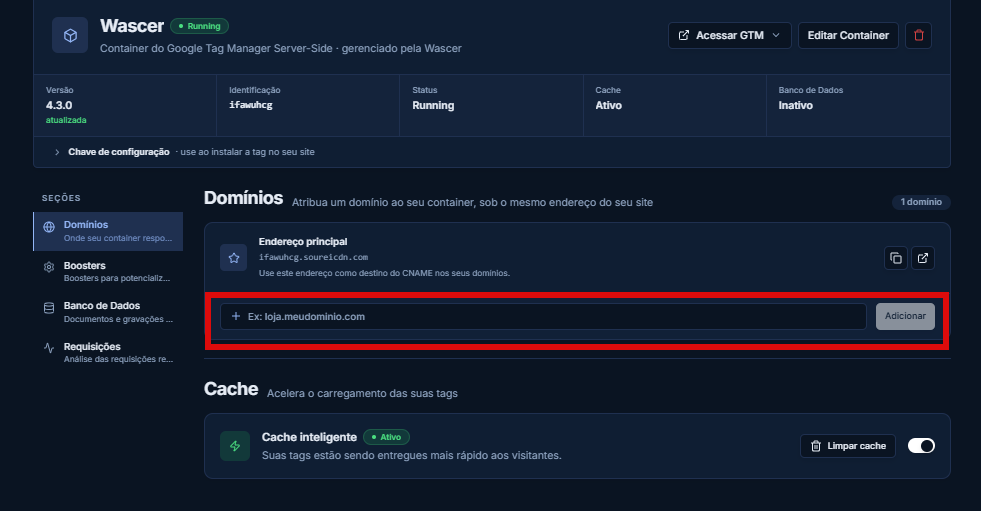
1. In the Wascer dashboard, select your container and click Add custom domain.
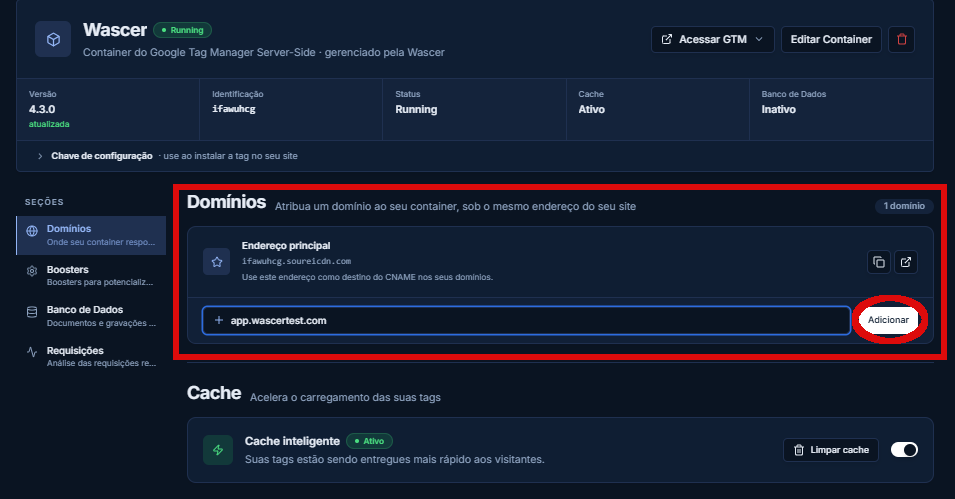
2. Enter the subdomain you want, for example sst.yoursite.com.br.
In the Domains tab, enter the domain you want and click “Add”:
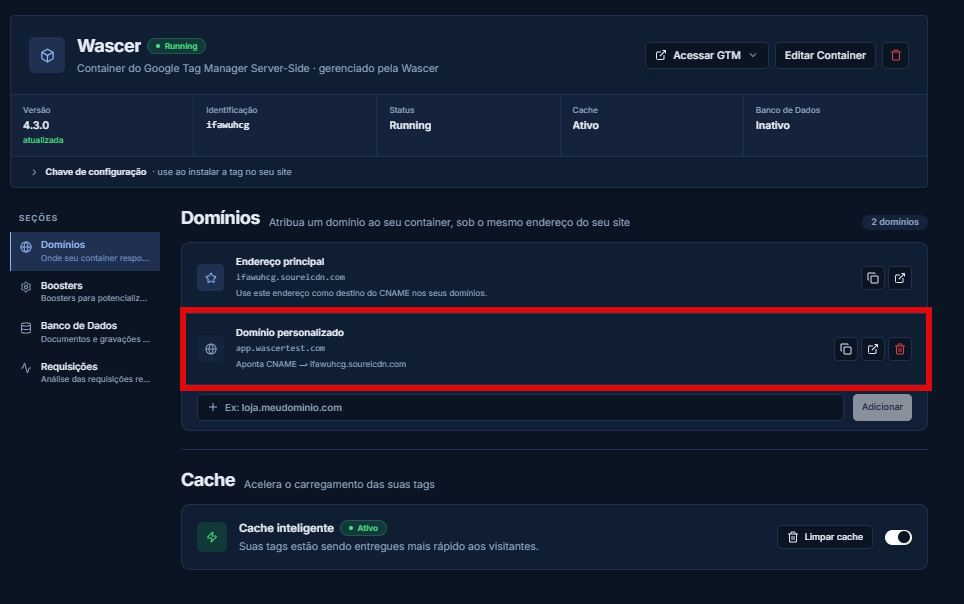
After DNS propagation, the custom domain becomes active:
Was this helpful?
Thanks for your feedback!