Boosters
Multi-Domain
Overview
Multi-Domain lets you create several custom subdomains (or even entirely different domains) onto a single sGTM container in Wascer. You’re no longer stuck with one tagging URL per container, and first-party cookies keep working across every domain.
This is especially useful for companies running multiple brands, regions, or campaigns under the same tracking setup. Instead of creating and maintaining a separate container for each site, you keep every tag, trigger, and variable in one place, while each domain keeps its own identity for cookies and requests.
Every subdomain you add to Multi-Domain gets its own automatic SSL certificate and can ride on Wascer’s Global CDN to serve scripts. Setup is just a single DNS record (CNAME or A/AAAA) per domain at your provider.
Benefits
- Centralizes tracking for multiple sites into a single sGTM container.
- Independent first-party cookies per domain — no cross-contamination between sites.
- Automatic SSL certificate for each added subdomain.
- Compatible with Global CDN to serve edge scripts across every domain.
- Cuts operational overhead by eliminating the need for a separate container per site.
- A natural fit for multi-brand, multi-region, or multi-campaign setups.
How it works
When you add a new domain in Multi-Domain, Wascer generates the DNS records you’ll need (CNAME or A/AAAA). Once you set them up at your DNS provider, Wascer verifies domain ownership and automatically provisions an SSL certificate via Let’s Encrypt.
Each domain works as an independent entry point to the same sGTM container. Requests coming in through sst.brand-a.com.br and sst.brand-b.com.br are handled by the same tag set, but cookies are scoped to each domain, so they stay fully isolated.
You can also pick a CDN type per domain — Global CDN (managed by Wascer) or your own — which gives you room to support more complex architectures.
How to enable / configure
- Open the Wascer dashboard and select your sGTM container.
- Go to Containers> Custom domain.
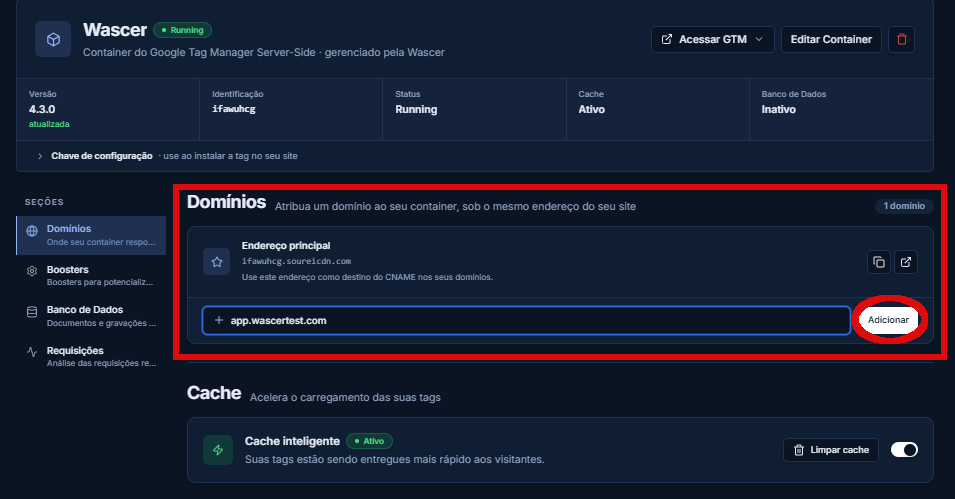
- Enter the subdomain you want (for example, sst.your-domain.com.br).
- Click Add custom domain.
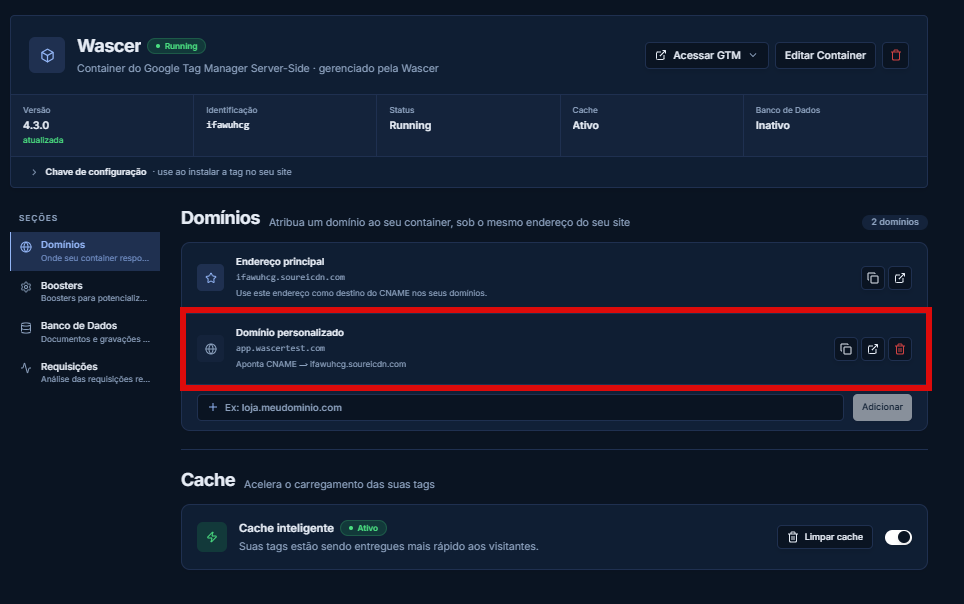
- Repeat the process for each additional domain.
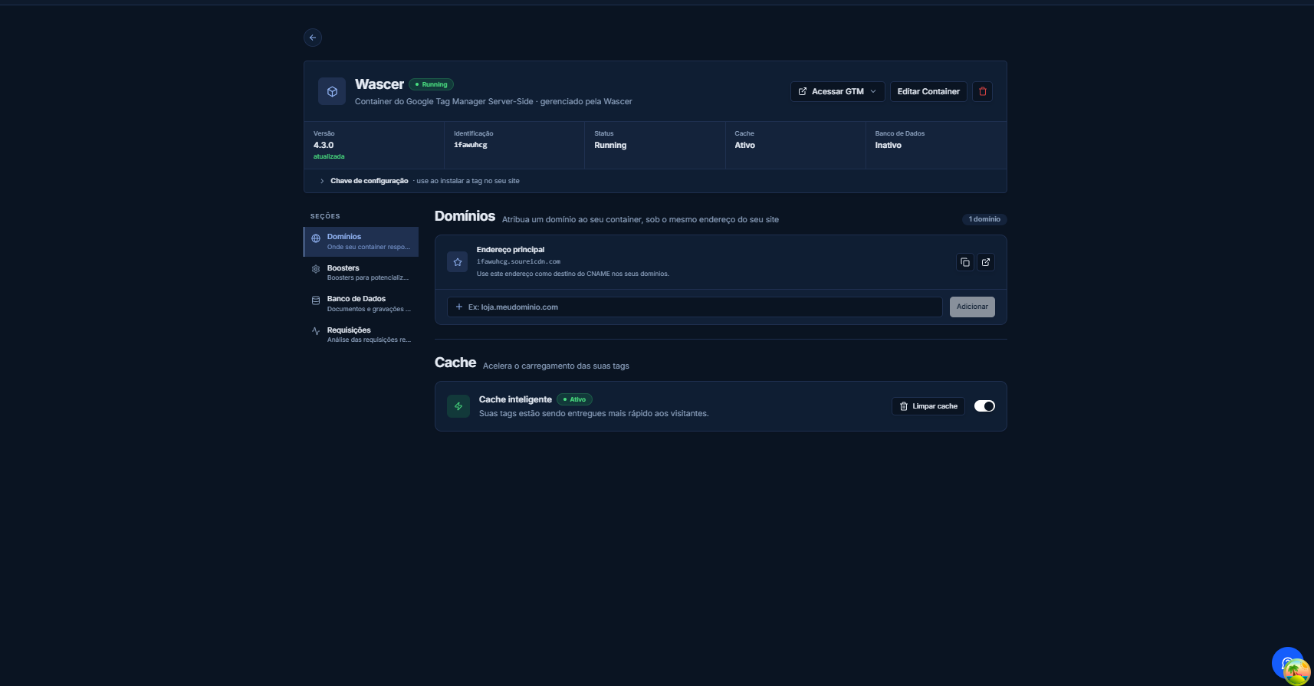
You can add multiple custom domains in the Domains tab:
Use cases
Retail group with multiple brands: a group running four e-commerce brands (fashion, sports, home, electronics) set up independent subdomains (sst.brand-fashion.com.br, sst.brand-sports.com.br, and so on) all pointing to a single sGTM container. The Meta CAPI and Google Ads tags are shared, but each brand keeps its own Pixel ID and Conversion ID through GTM variables.
Agency with regional clients: a digital agency set up a separate domain per client (sst.client-sp.com.br, sst.client-rj.com.br), all handled by a single container using hostname-based conditional logic.
Was this helpful?
Thanks for your feedback!