Getting Started with sGTM Hosting
Step 2. Create a server container in Wascer
1. Sign in to the Wascer dashboard atwascer.ioand click Create container.
In the dashboard, click Containers in the side menu or “+ New Container”:
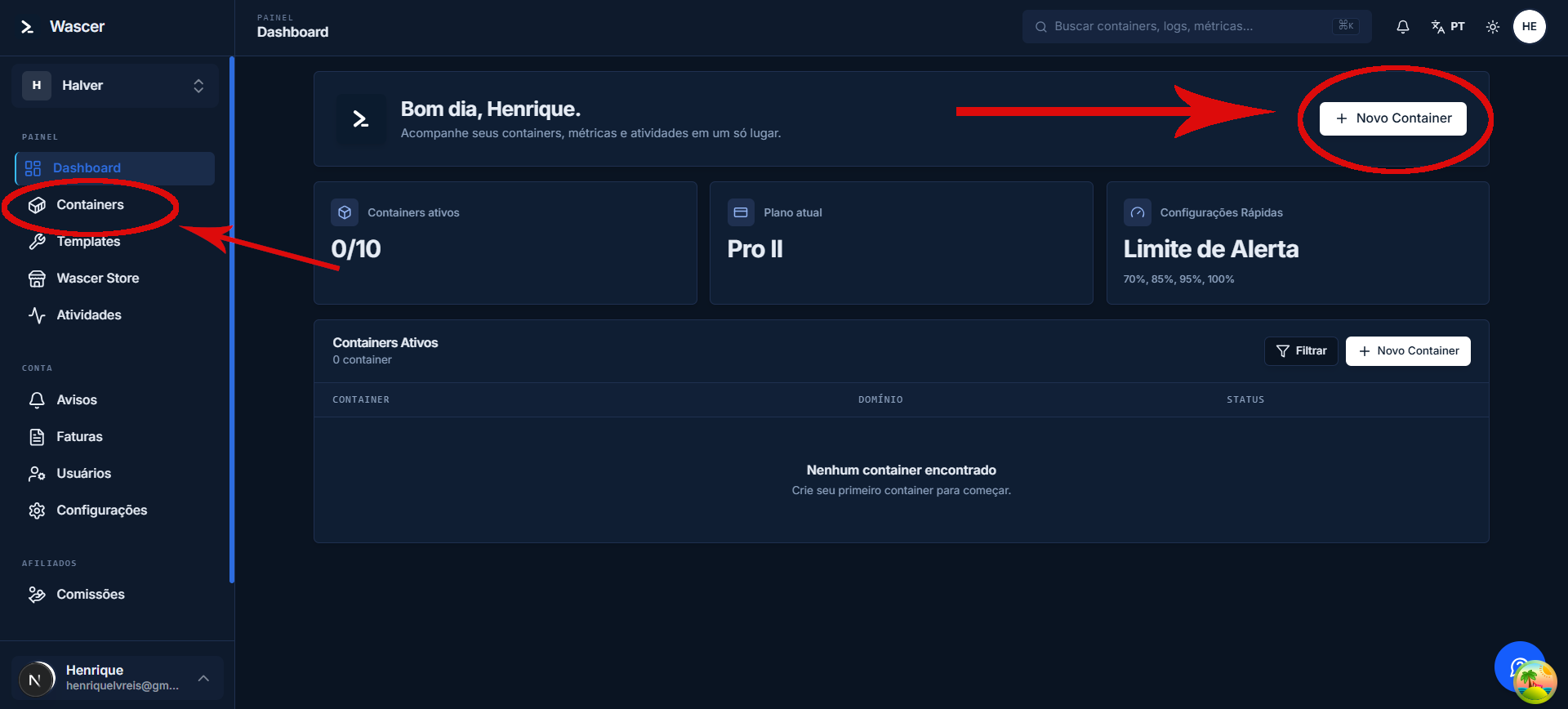
Access the Wascer dashboard and sign in:
2. Fill in the required fields:
Fill in the name and GTM configuration in the creation form:
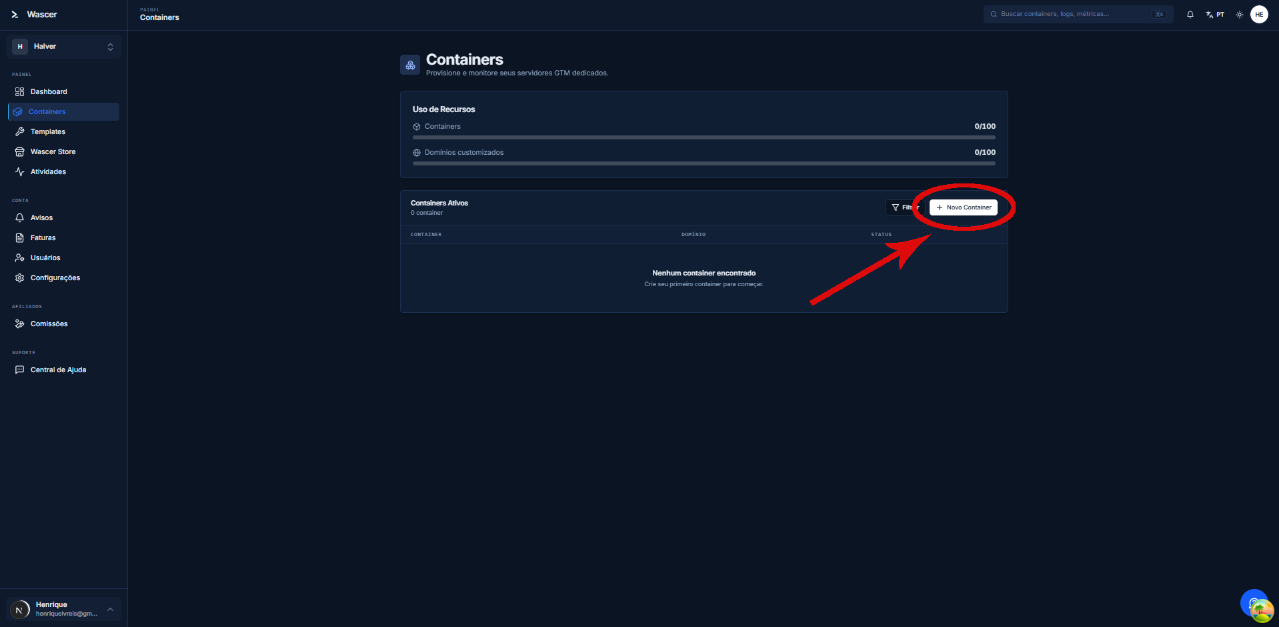
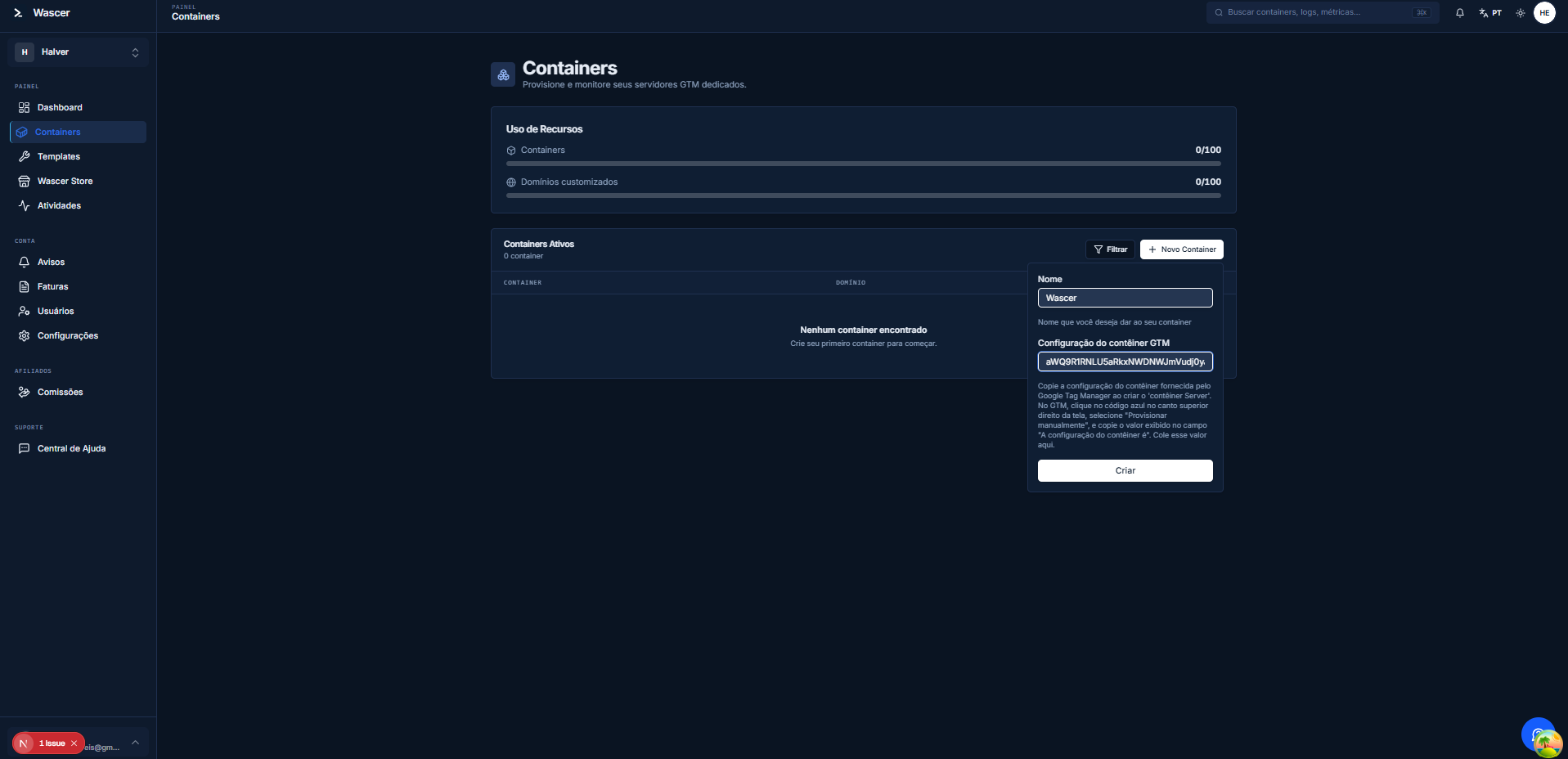
- Container name: we recommend using the same name as the server container in GTM.
- Container Configuration: paste the value copied in the previous step.
- Server location: choose the region closest to most of your visitors. For global traffic, select Global multi-zone.
3.Click Create Container.
Review the fields and click “Create”:
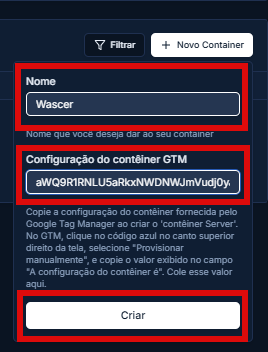
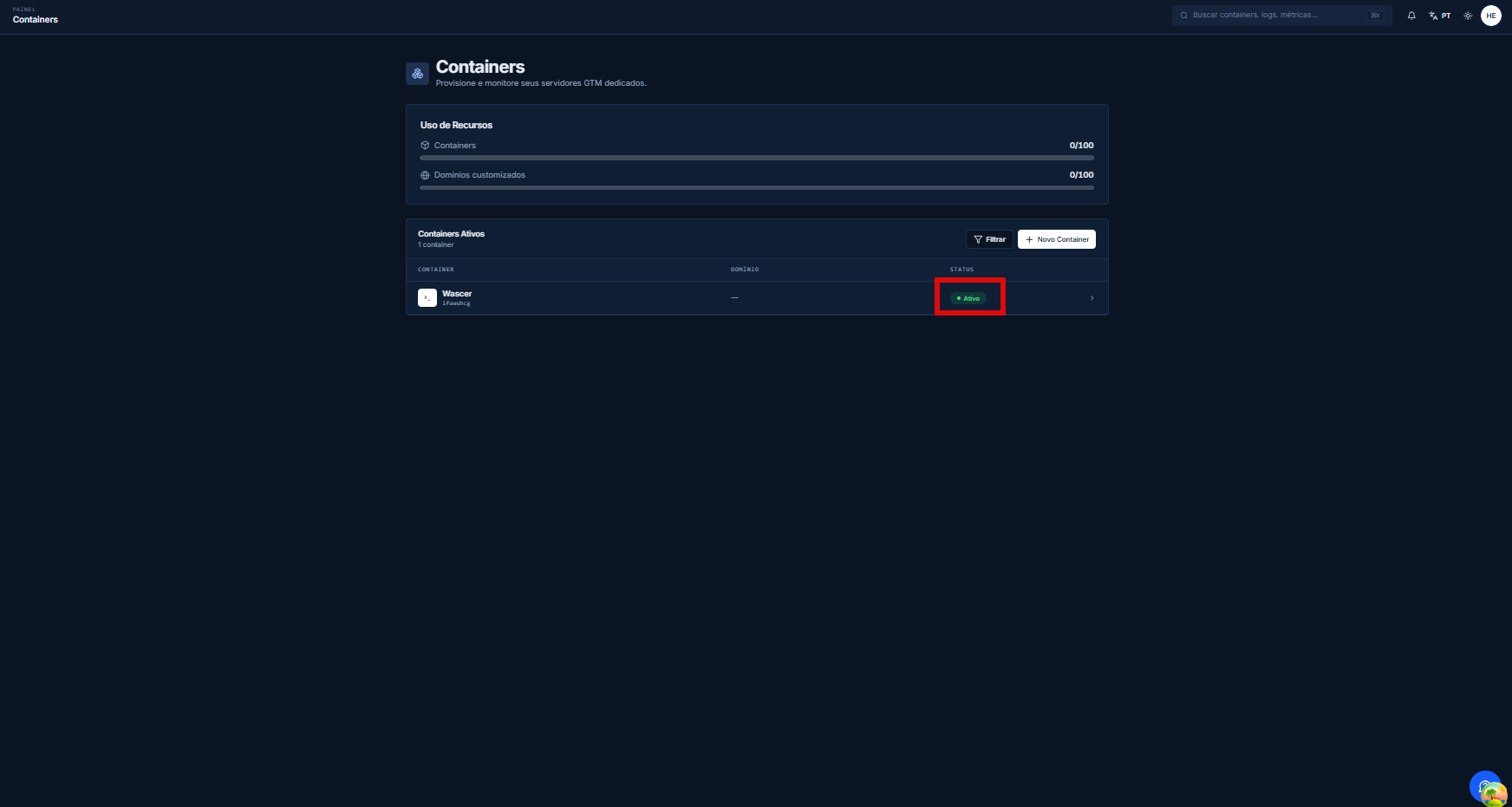
4. Wait for the status to change to Running in the Wascer dashboard. Deployment takes about 5 minutes.
The container appears in the list with an “Active” status:
Was this helpful?
Thanks for your feedback!