Boosters
WasLoader (GTM Loader)
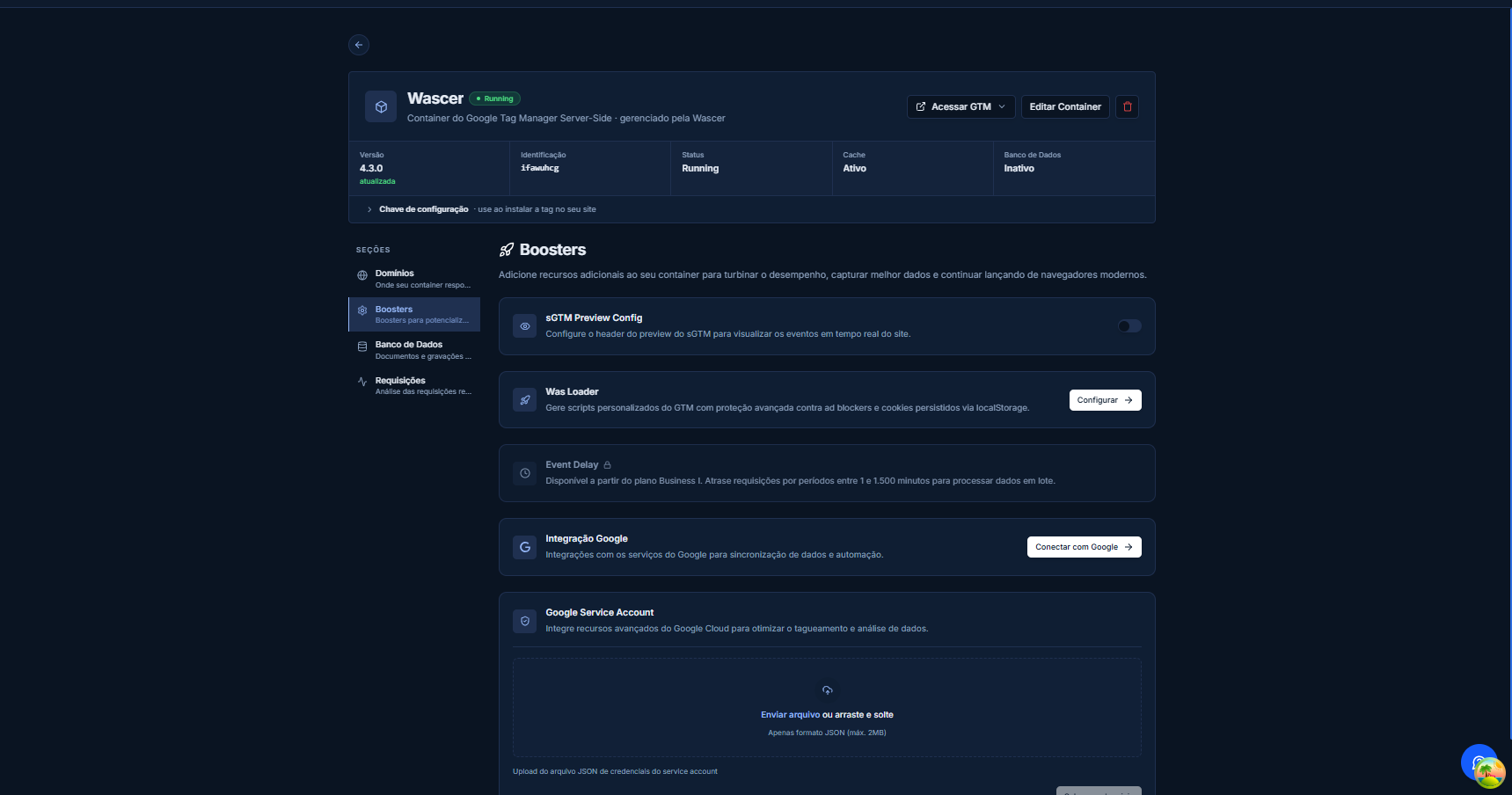
Overview
WasLoader is Wascer’s custom loader for Google Tag Manager. It swaps the standard GTM script (gtm.js) for an optimized version straight from your own domain. The result: a smaller payload, faster page loads, and ad blockers that can no longer spot and block the tracking script through well-known URL patterns.
When you enable WasLoader, GTM requests stop pointing to googletagmanager.com and are routed through a first-party path on your own domain instead. To the visitor’s browser, the script looks like just another asset from your site — not a third-party tracker. The result is a noticeably higher load success rate, especially in browsers with strong privacy protections such as Safari, Firefox, and Brave.
Futhermore, WasLoader supports independent per-domain configuration. If you run multiple sites or brands, each one can have its own custom loader with its own rules and paths, without interference between them.
Benefits
- Cuts GTM load time by serving the script from an edge CDN closer to the visitor.
- Slips past ad blockers that look for requests to googletagmanager.com.
Turns tracking cookies into first-party cookies, extending their lifespan and reliability.
- Optimized payload — strips out unused container code and ships only what’s needed.
- Independent per-domain configuration — ideal for multi-brand operations.
- Improves Core Web Vitals (LCP, FID) by cutting third-party scripts.
How it works
WasLoader intercepts the standard GTM request and reroutes it through the sGTM server hosted by Wascer. The gtm.js script is rewritten, minified, and served from a subdomain on your own site (e.g., load.yoursite.com.br/gtm.js). The whole process is transparent — no changes are needed in the GTM web container.
Under the hood, Wascer generates a custom loader build that ships only the tags, triggers, and variables that are actually active in your container. This build is cached across the global CDN and refreshed automatically whenever you publish changes in GTM.
In browsers with anti-tracking protections, the first-party path keeps the script from being classified as a third-party resource, so it loads normally even when extensions like uBlock Origin are active.
How to enable / configure
- Open the Wascer dashboard and pick your sGTM container.
- Go to the Boosters and find WasLoader.
- Click Configure and select the domain linked to the container.
- Enter theGTM IDof your web container (format: GTM-XXXXXX).
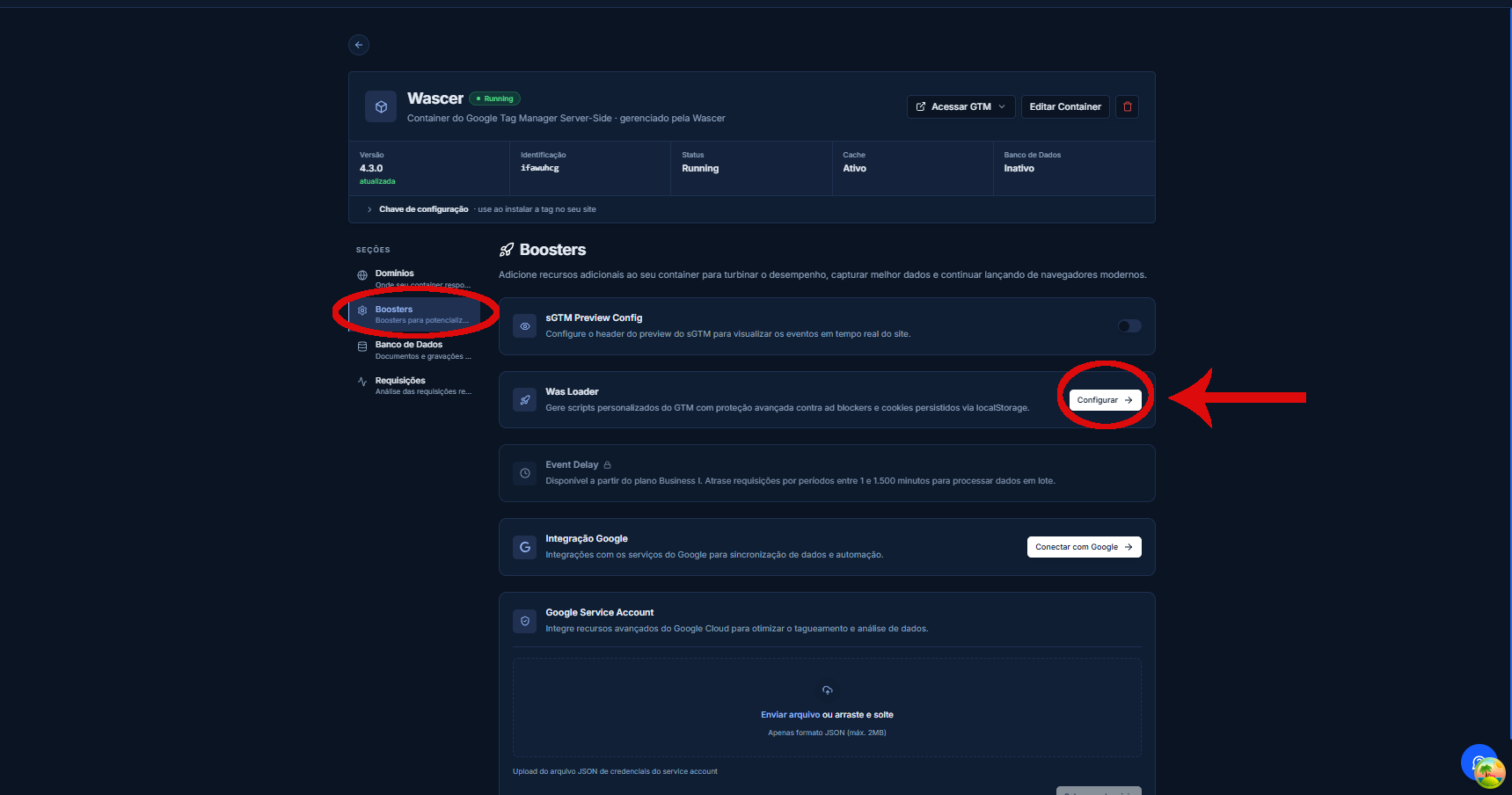
Was Loader modal before filling it in (Custom Domain and WEB GTM ID fields):
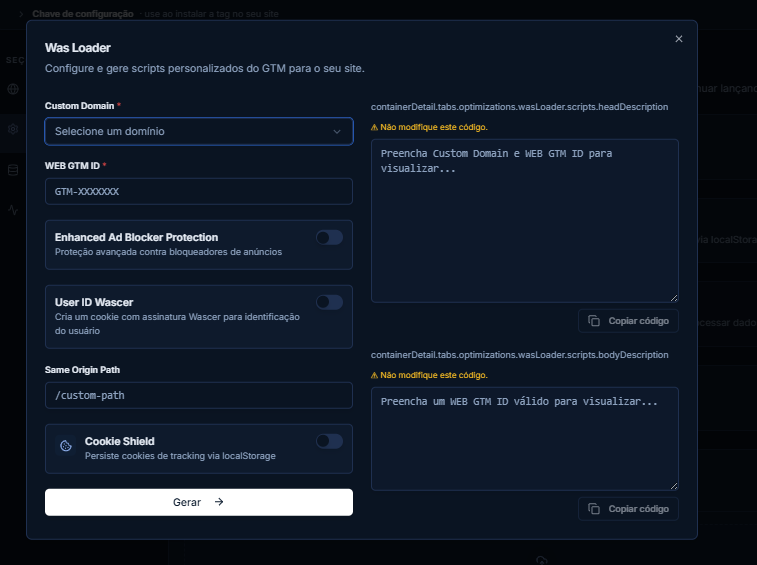
- (Optional) Enable Enhanced Protection to encrypt requests and make them harder to identify through blocking rules.
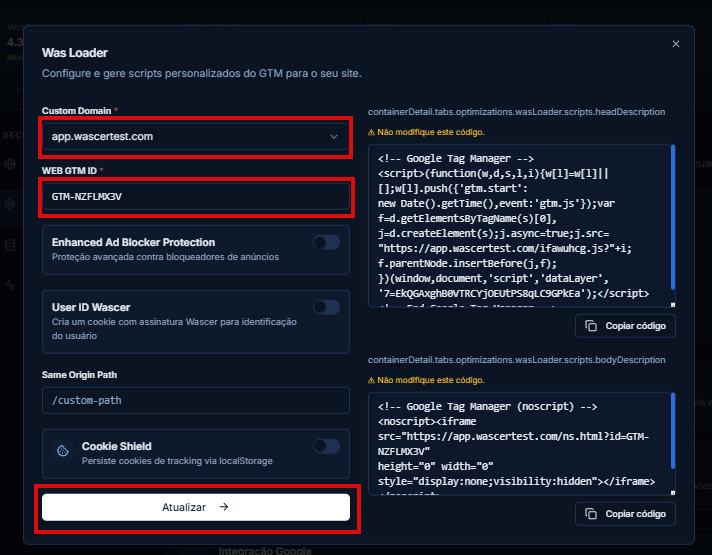
- Click Save. Wascer will automatically generate the custom loader URL.
- On your site, replace the default GTM tag with the URL provided by Wascer, or use the automatically generated snippet.
Was Loader modal with the complete configuration options:
Use cases
E-commerce with heavy mobile traffic:An online store with 60% of traffic coming from Safari and iOS enabled WasLoader and saw an 18% increase in purchase events recorded in GA4, because scripts were no longer blocked by ITP and privacy extensions.
Content site with ad blockers:A news site found that 32% of its visitors were using ad blockers. After enabling WasLoader, the GA4 data collection rate increased from 68% to 97% of real pageviews.
Availability
User ID is available on all Wascer plans: Free, Starter, Pro, Business, and Enterprise.
Was this helpful?
Thanks for your feedback!