Shopify apps
How to set up server-side tracking on Shopify
The default server-side setup for Shopify is easy to implement with the Sourei Wascer app. The app helps you deploy a modified gtm.js loader in your Shopify store, send data to sGTM through webhooks, and forward dataLayer push events to your web container.
1. Set up your Google Tag Manager server container on Wascer.
2. Install and configure the Sourei Wascer app for Shopify.
The purpose of the app is to simplify both server-side Google Tag Manager setup and the process of sending data into GTM. It works with Wascer hosting for server-side Google Tag Manager as well as with other hosting providers, but the was loader and cookie manager features only work when you are using Wascer hosting.
2.1. Install the Sourei Wascer app in your store.
2.2. Under the General tab, you will find all settings related to installing the GTM snippet across every page of your Shopify store.
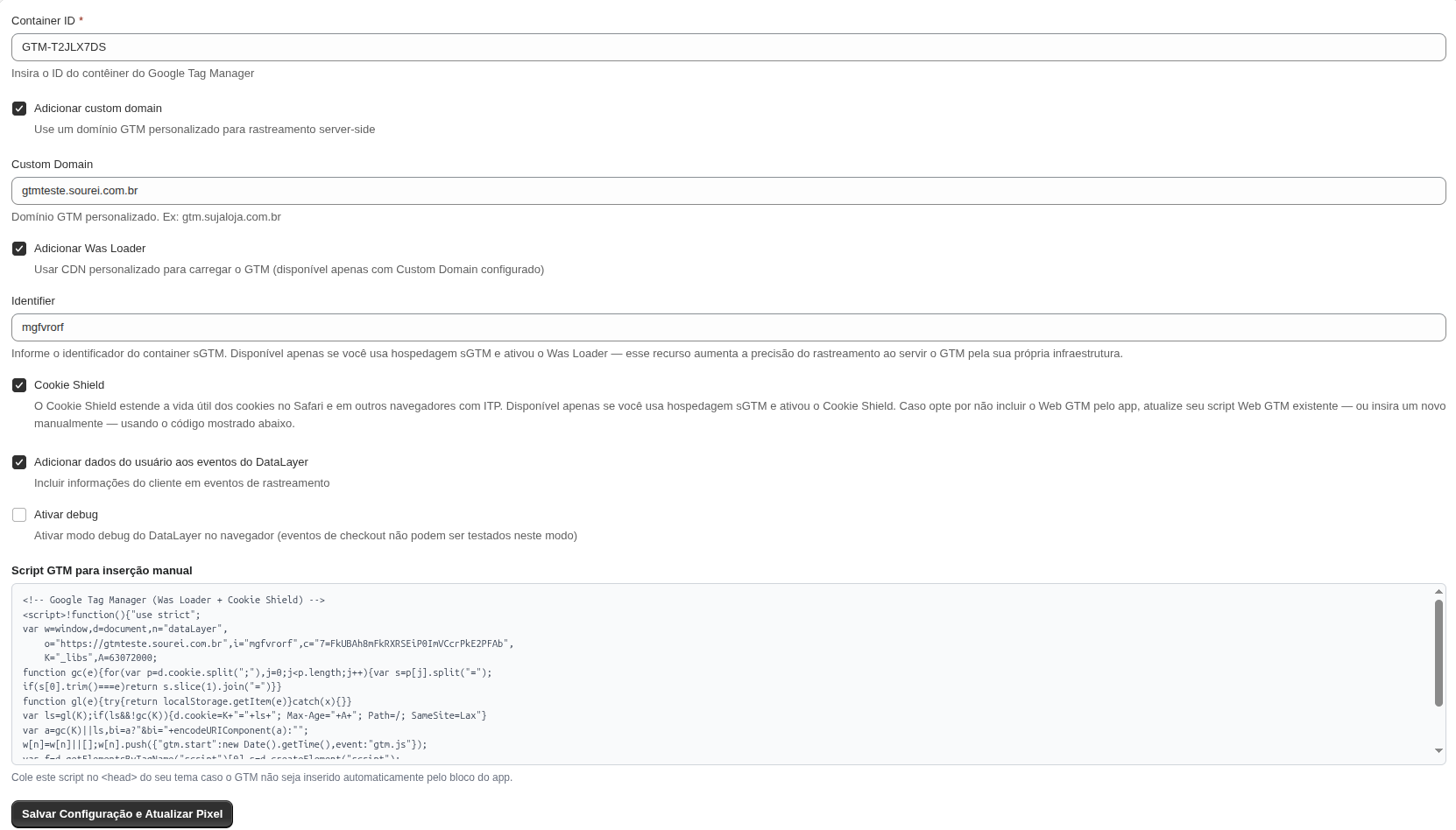
- GTM web container id
Here you need to specify your GTM WEB container ID. - Custom domain
It is extremely important to use your own subdomain for first party cookies to work correctly and for tracking to work in general. If you do not already have a subdomain added to your sGTM container, you can use this guide to add it. - Was Loader
An optional parameter, but its use is highly recommended to increase protection against ad blockers.
Specify here your Wascer container identifier. Follow this guide to find Wascer container identifier. - Cookie Shield
You can learn more about Cookie Shield power-up on this page. It allows you to minimize the impact of the latest ITP restrictions.
Before activating this feature, make sure you have it enabled in Wascer, in your container.
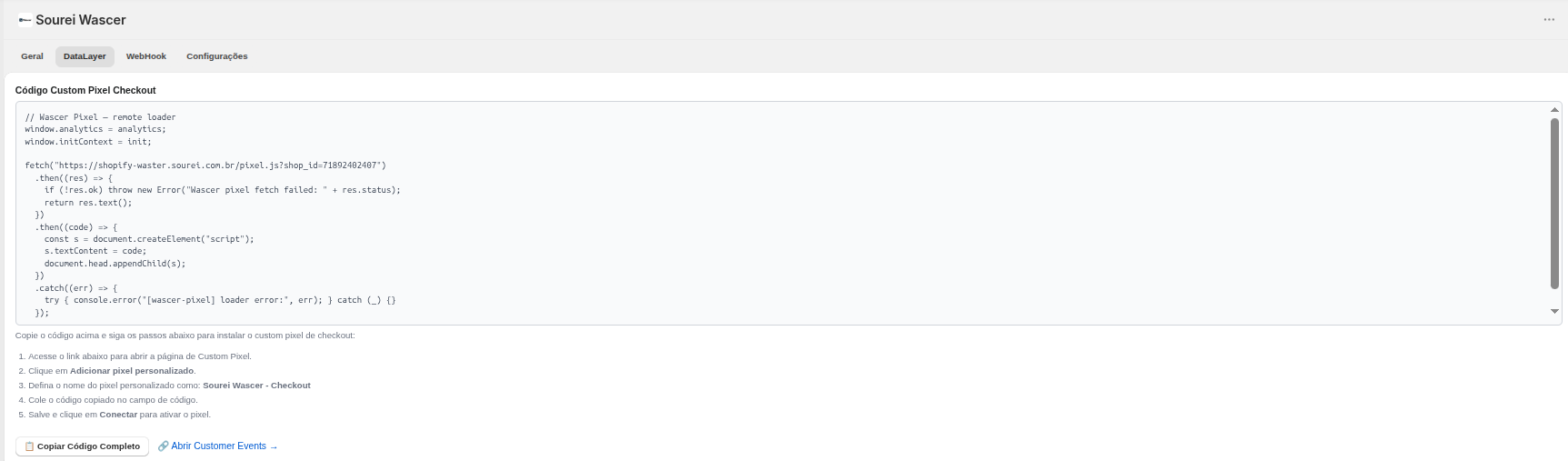
2.3. This DataLayer is responsible for dynamically loading the Wascer checkout pixel inside Shopify.
This code is responsible for loading and activating the Wascer tracking pixel in the Shopify checkout. After configuration, tracking is automatically initialized to enable store event collection. If the loading process fails, error information will be available in the browser to assist with troubleshooting.
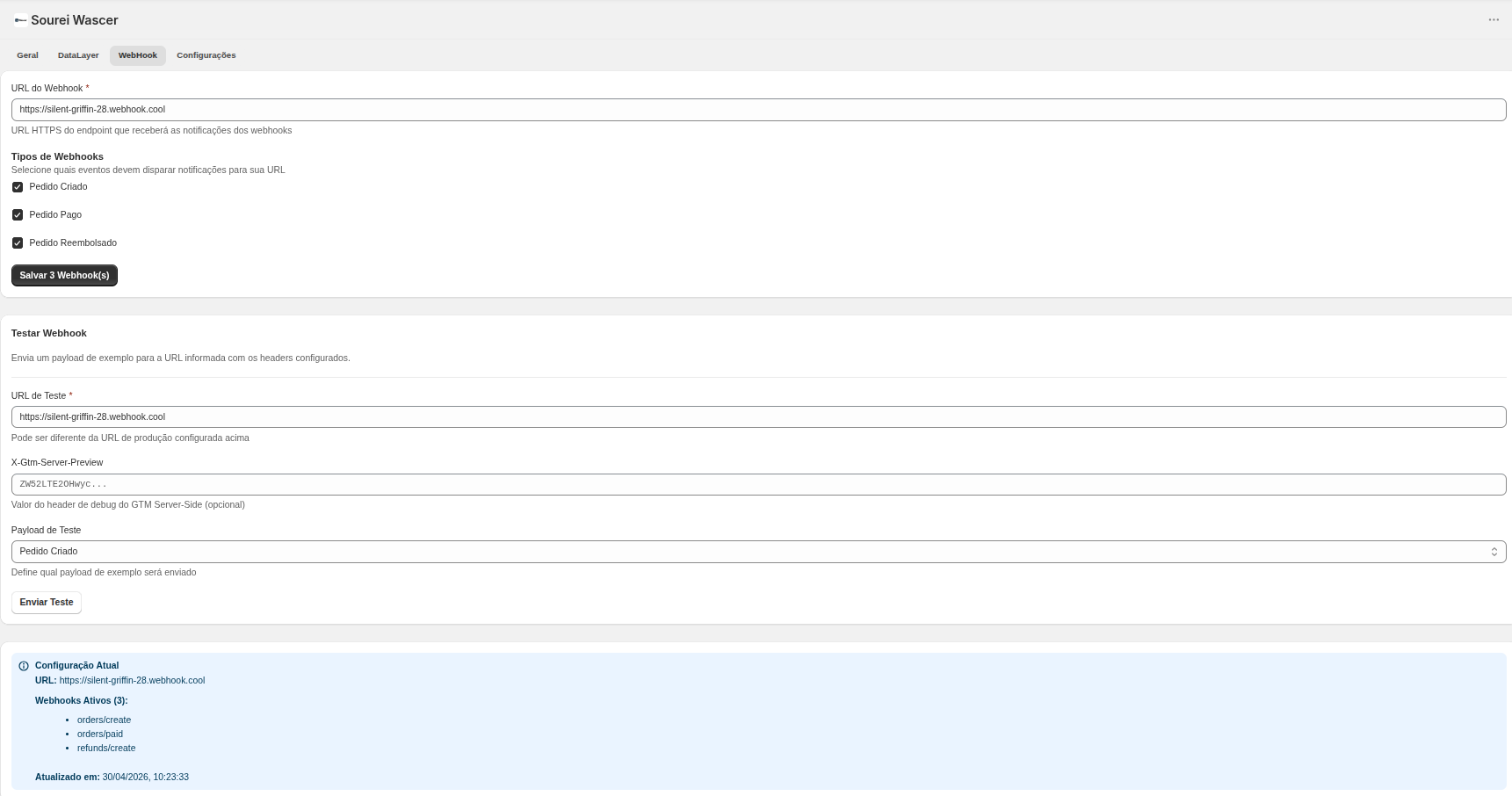
2.4. Webhook events are configured in the Webhook tab.
The WebHook tab is used to configure order event delivery to an external HTTP endpoint.
In this tab, you define the Webhook URL and select which events should be sent:
- Order Created
- Order Paid
- Order Refunded
When enabled, these events are automatically sent to the configured URL.
Available fields
- Webhook URL: primary endpoint that will receive the events.
- Webhook Types: list of enabled events.
- Save Webhook(s): saves the current configuration.
Webhook Test
The test section allows you to validate the integration manually using a sample payload.
Fields:
- Test URL: endpoint used for validation.
- X-Gtm-Server-Preview: optional header for debugging with GTM Server-Side Preview.
- Test Payload: selects which sample event should be sent.
Current Configuration
The final section displays:
- configured URL
- active webhooks
- enabled event routes
- last update timestamp
2.5. Enable the Sourei Wascer app embed and validate tracking events
After completing the app configuration, you must verify that the Sourei Wascer app embed is enabled in the active Shopify theme.
In Shopify admin, go to:
Online Store -> Themes -> Customize -> App embeds
Locate the Sourei Wascer app embed and enable the DataLayer Tracker toggle. Then save the theme configuration.

This step is required because the app embed is responsible for injecting the storefront tracking layer into the theme. If it is disabled, the frontend tracking logic will not run, even if
the app settings were configured correctly.
Once the embed is active, open the storefront and, if debug mode was enabled during the initial setup, inspect the browser console to confirm that tracking events are being emitted
correctly.
At this stage, you should be able to validate events such as:
- page view events
- ecommerce-related DataLayer pushes
- initialization and debug messages from the Wascer tracker
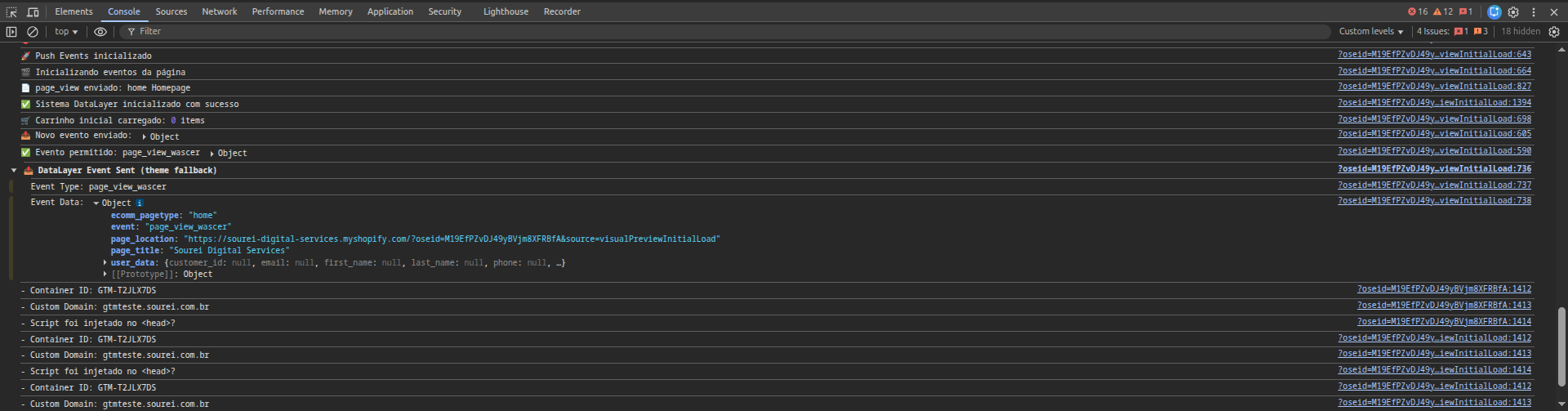
This validation confirms that the storefront integration is active and that the tracking layer is available before forwarding data to GTM or server-side endpoints.
Was this helpful?
Thanks for your feedback!